can not flash/debug stm32f469ni discovery board , "cannot open ... Loader.elf"

I've try install on 2 computer but have same problem. I follow guide from:
https://www.youtube.com/watch?v=O-9kx-NVYOE
I can follow everything including build project. And connect the STM32F469NI Discovery board. But whem I clicked 'start execution' or F5 then output say:
cannot open C:/Users/nquan/AppData/Local/Rowley Associates Limited/CrossWorks for ARM/v4/packages/targets/ST_STM32F469I_DISCOVERY/Loader.elf
What can I do to solve this problem?
I'm sure this board is normal coz I still connect and use with Eclipse ARM without problem.
I convert st-link to use J-link
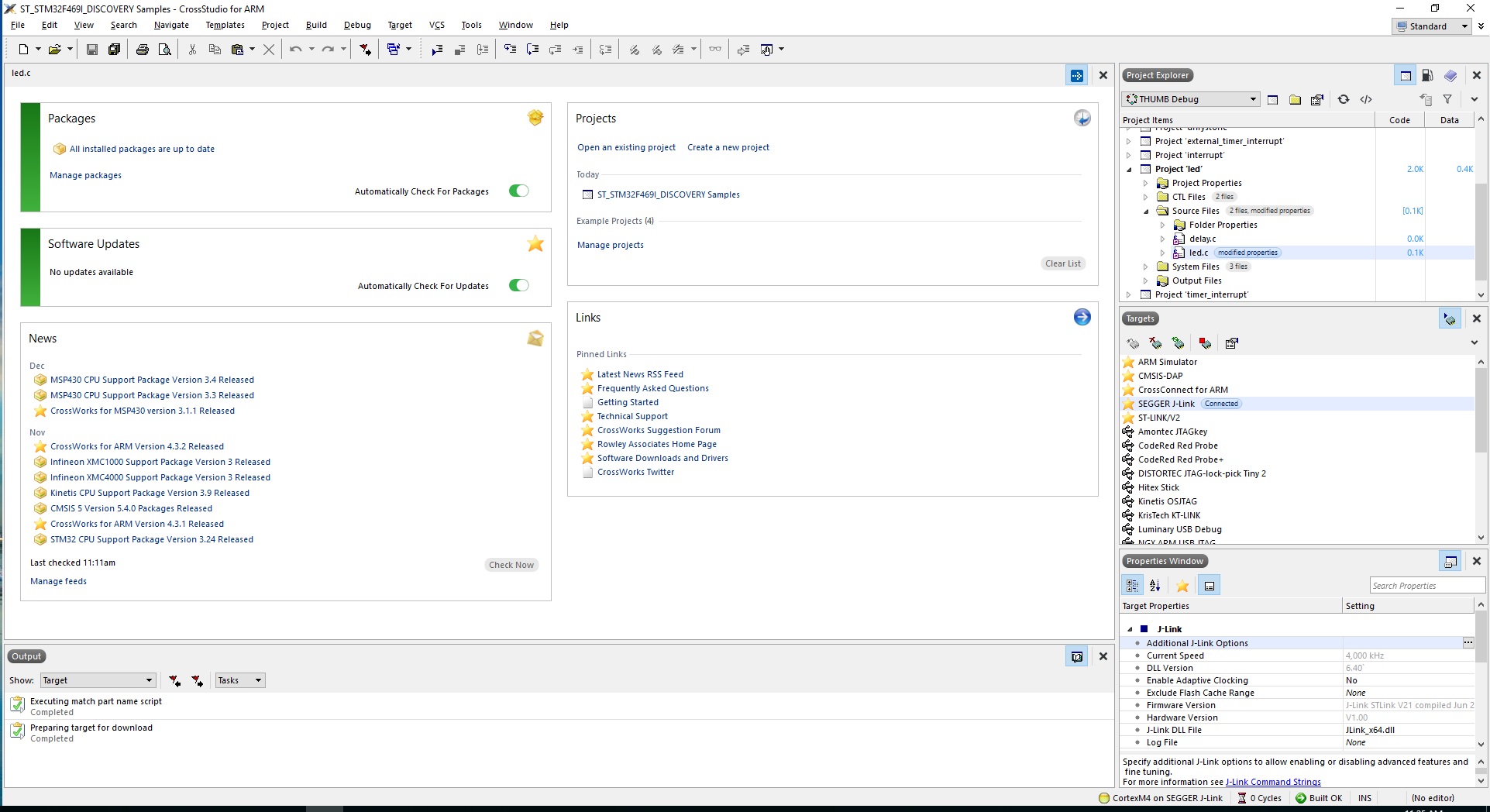
-
Well I've test to other board, STM32F429I Discovery , even for simulator. Same problem, not load not debug. But somehow if I choose "Generic STM32" then I can do.
No problem when try other brand like NXP.
"cannot open ... Loader.elf" Only when I choose create project with stm32 specific board like "STM32F429 Discovery STM32F469 Discovery" etc...
What wrong am I doing?
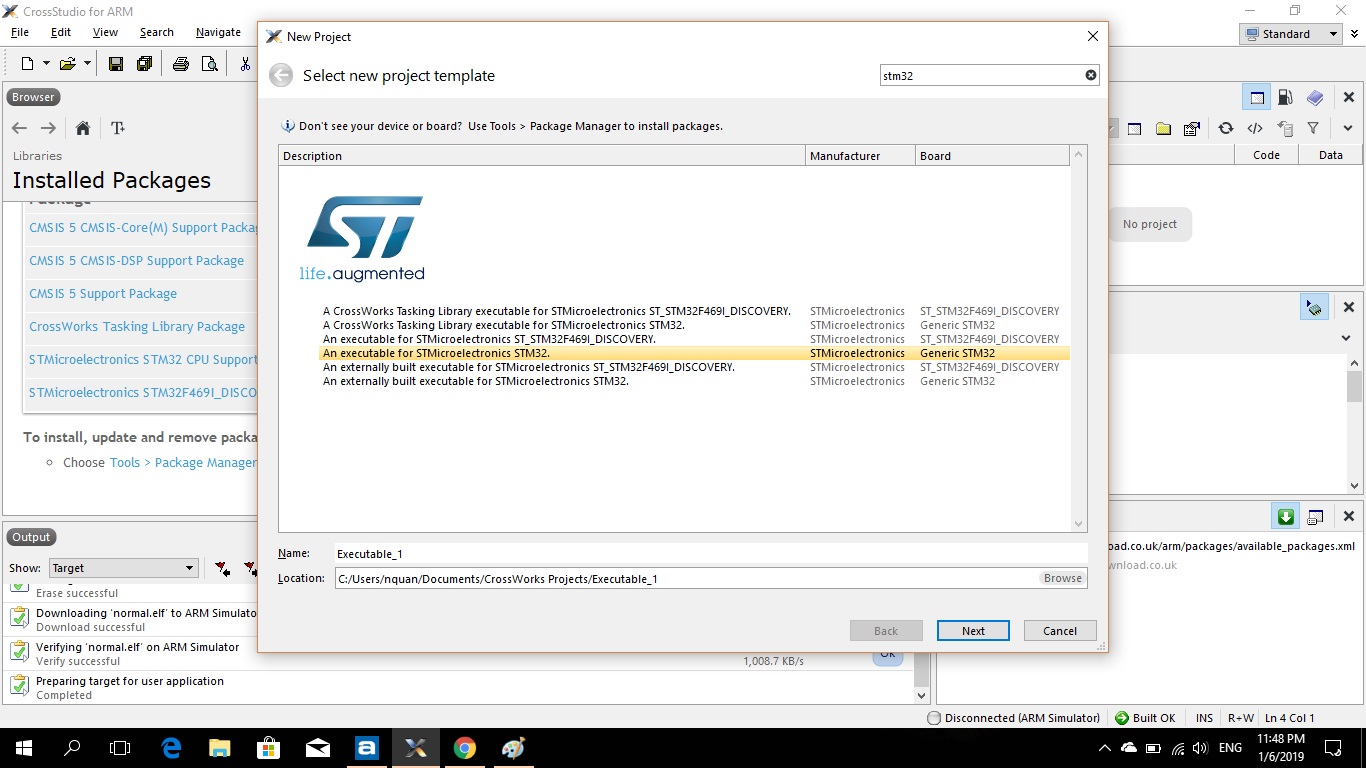

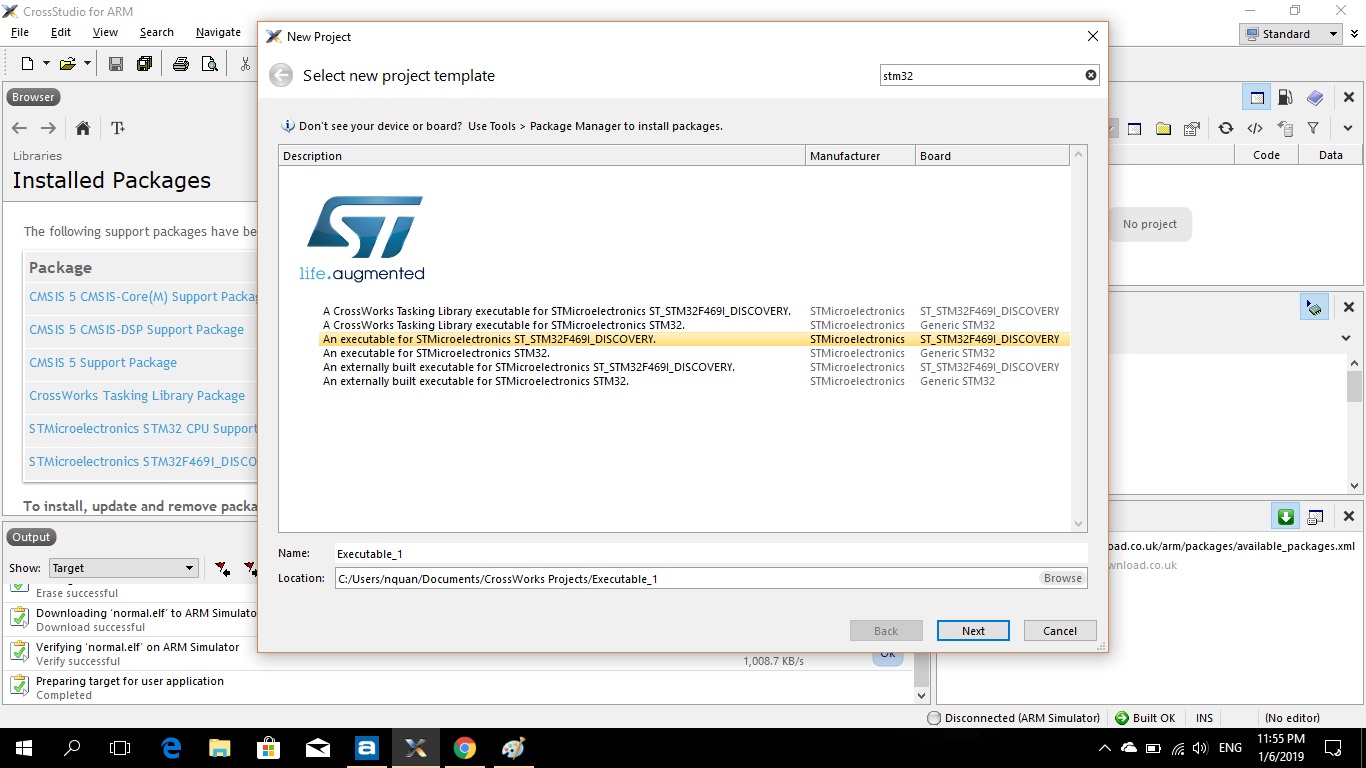

-
I've track down to that, if I create project from specific board from STM32 for example STM32F469NI Discovery or etc. Then it not automatic found loader.elf , I need to manually locate it.
Unlike create project from generic STM32 it found the loader file automatic.
Don't know why, is this normal behavior?
But I've try some to NXP it normal.
Commercial product should have flawless than this than ti find fix myself unless I do something wrong.
Please sign in to leave a comment.
Comments
2 comments