[SOLVED] Build failed - Can't start process ...CrossWorks/bin/hcc

Good evening.
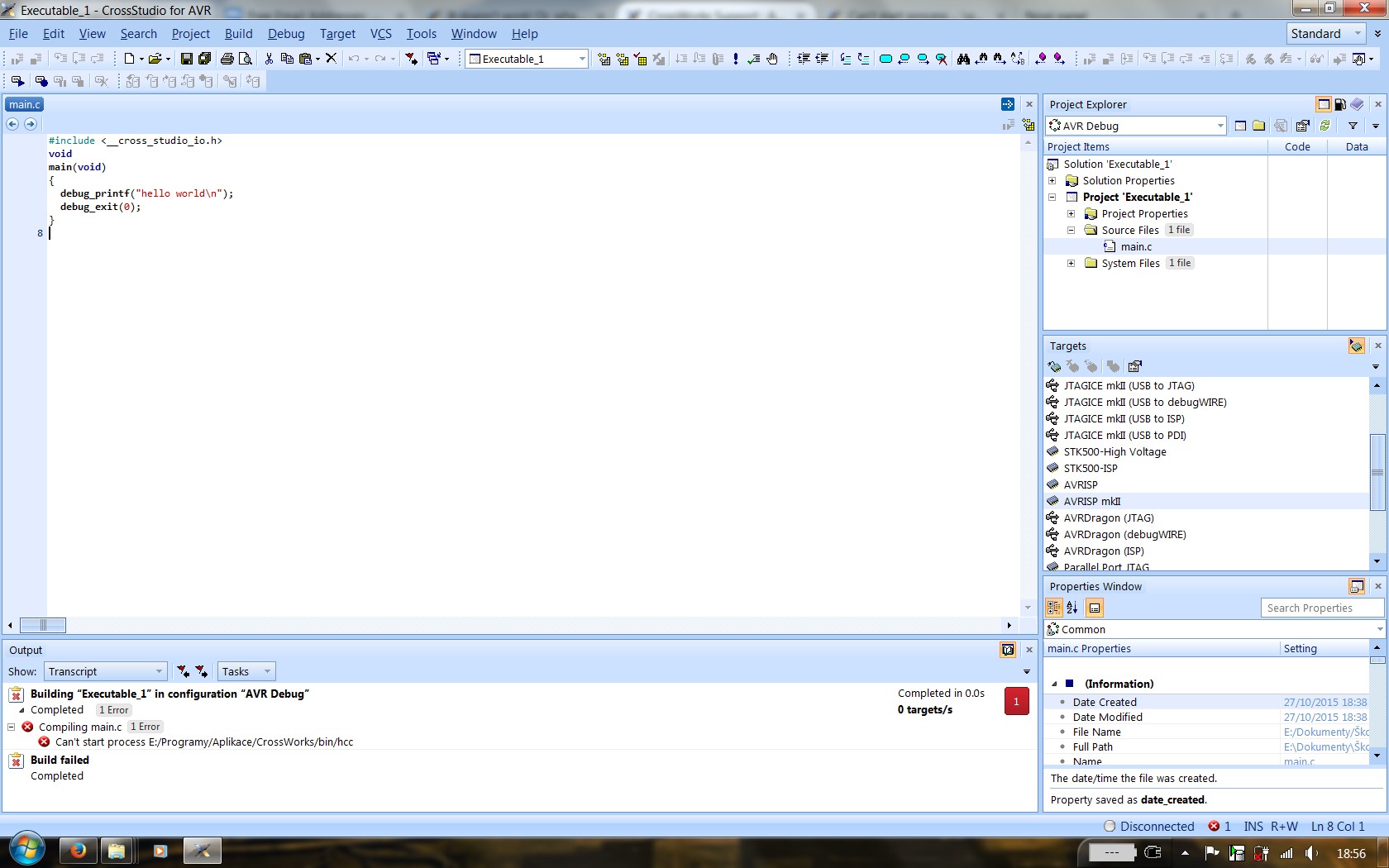
I have a problem building any project. When I press buttons "Compile", "Build" or "Build Solution", CrossWorks always returns this error message:
Can't start process E:/Programy/Aplikace/CrossWorks/bin/hcc
I have no idea what could possibly cause this error. The hcc.exe is present and I am able to run it manually (without any parameters, just from Windows explorer).
The problem is probably very similiar to this one: https://rowley.zendesk.com/entries/81490-Can-t-start-process-gcc-bin-ld , however I have no "Program" file in root of my C drive, nor reinstallation of CW helped me. I tried to search a lot, but couldn't find anything even close to my problem (except the mentioned one). When searching for "hcc" in reference manual, only one result was found and it was irrelevant.
I really need CW to work - we're using it in school, so any advice is appreciated.
Got Windows 7 64bit, Core2 Duo T8100, 4 GB RAM, 30GB+ free HDD space on data partition and 13 GB on system. Lenovo Thinkpad T61 if it matters.
Thank you
//EDIT: After looking into CW settings, I found that if path to a project contains diacritic letters, those letters completely disappear or change to question mark character. Is it possible to fix this issue, so diacritics are supported at least in project location path?
CWhcc.jpg
Please sign in to leave a comment.
Comments
0 comments