Execution Trace when using Olimex ARM-USB-OCD?

Hi,
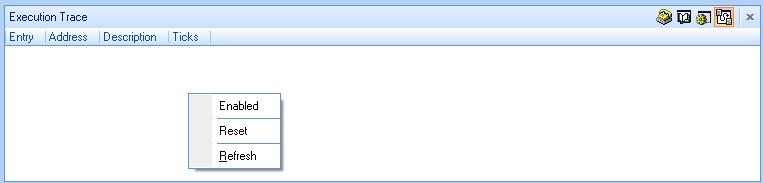
Has anyone managed to get the execution trace to work with an Olimex ARM-USB-OCD? All I get is a blank window... It doesn't display anything when I run/step through my code.
When I right-click in the blank Execution Trace window, a popup menu with "Enabled", "Reset", and "Refresh" is displayed (see attachment below) but the three options can't be enabled or disabled by clicking on them.
Any help would be appreciated.
Thanks!
Kevin
Execution Trace Window.jpg
-
Hi,
I thought I'd follow up to say that I no longer need an answer on this... I was trying to track down a tough-to-find bug that was causing the processor to reset. I ended up finding it the old fashioned way: By setting a GPIO pin on and off around regions of code and viewing the output on a logic analyser. I was able to narrow it down to a write to a single register...
I'm still curious about how to use the trace window in Crossworks (the manual is a lot vague), but I'll leave figuring that out to another time.
Kevin
Please sign in to leave a comment.
Comments
1 comment